You can log in to your MoodleCloud site either from your browser using your site URL, or from the MoodleCloud Portal. Here's how:
To log in from your site directly:
- Type your site URL in your browser:
- [yoursitename].moodlecloud.com
- Enter your username. Your username depends on what type of user you are:
- The site owner (the person who signed up for this site): username by default is admin, unless they've changed it.
- All other users (teachers, students, etc) have unique usernames – typically one provided by your site admin.
- Enter your password.
- Select Log in to proceed.

To log in from the MoodleCloud Portal:
- Log in to the MoodleCloud Portal;
- Within the Plan tab, click on the URL of your site:
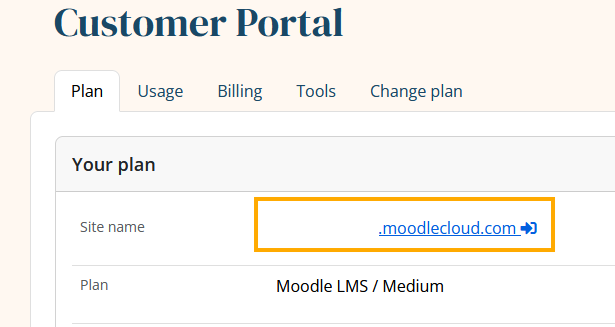
- This will log you into the site as the Main Administrator, which is always the user with ID '2'.
*Your MoodleCloud site and Portal passwords are the same. Therefore, use the same password to log in to your Moodle site and the Portal. If you forgot your password, please refer to the article Forgotten MoodleCloud password.
Was this article helpful?
That’s Great!
Thank you for your feedback
Sorry! We couldn't be helpful
Thank you for your feedback
Feedback sent
We appreciate your effort and will try to fix the article